
Hear what matters.
Adjust microphone amplification and your listening profile in SoundLens for iOS and Android.
🔒 Microphone Processing: Processes microphone audio in real time on your device.
A lens for sound in real time
Adjust the level and frequency balance of the sound around you.
Microphone sound before processing
Six-band EQ, feedback protection and Speech Clarifier (WDRC, PRO)
Amplification and frequency balance set by you
Designed for effortless, tactile control
Explore amplification, EQ, tools, recordings and audio routes.
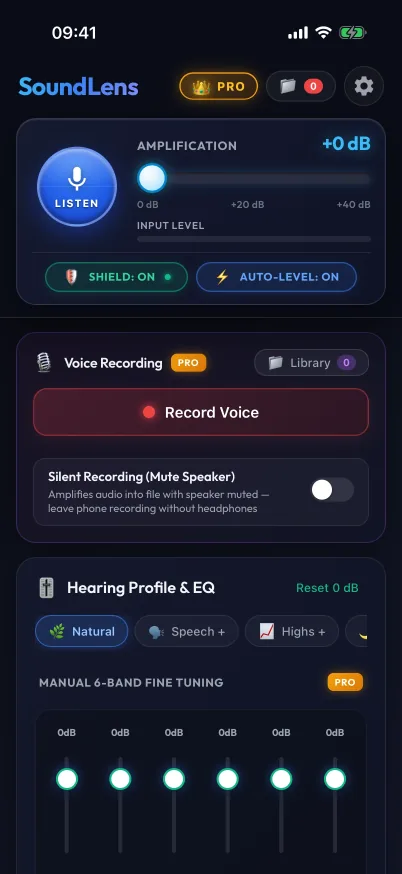
Live Listening
Amplification, feedback shield and recording controls.
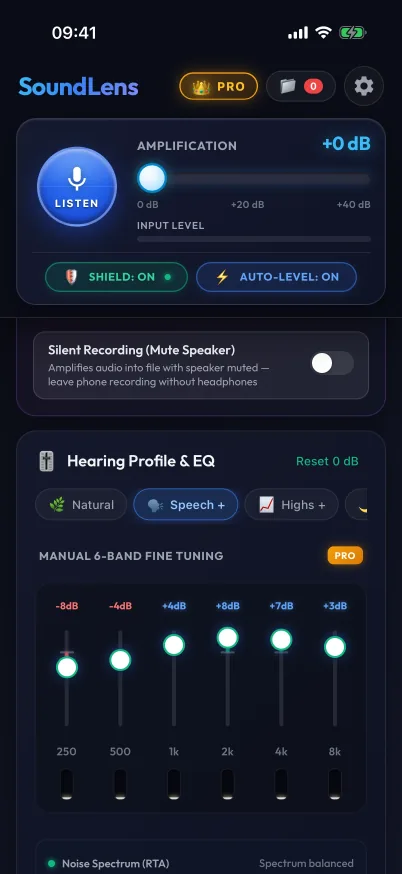
Hearing Profile & EQ
Five presets plus Custom; manual six-band EQ in PRO.
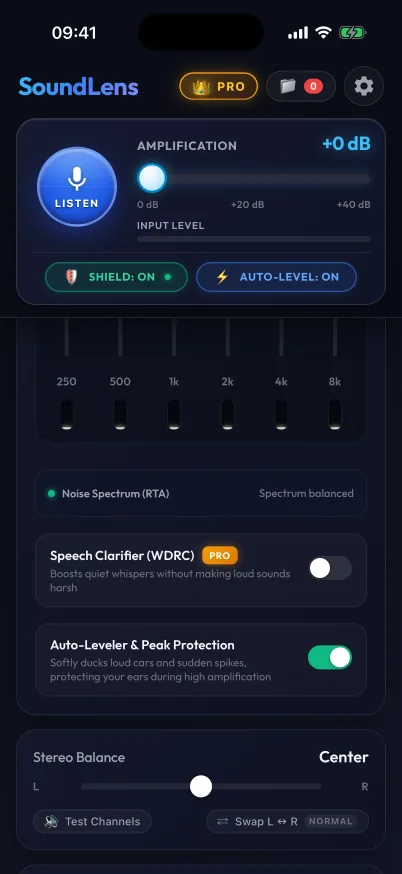
Listening Tools
Auto-leveler, peak protection, noise spectrum and Speech Clarifier (PRO).
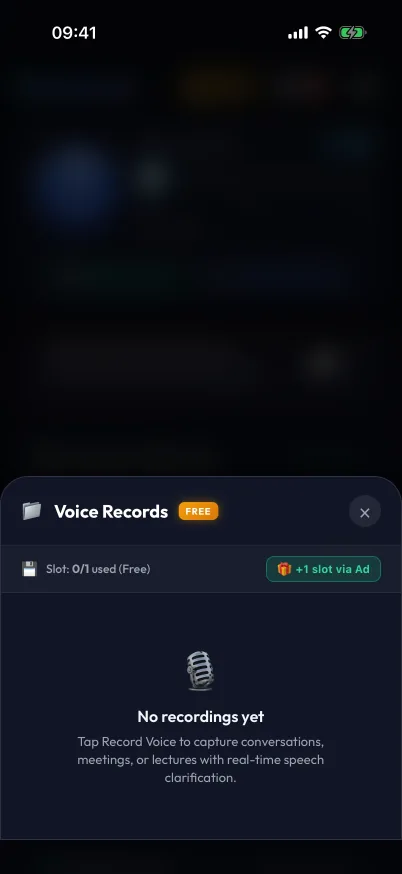
Recordings Library
Manage saved recordings and available slots.
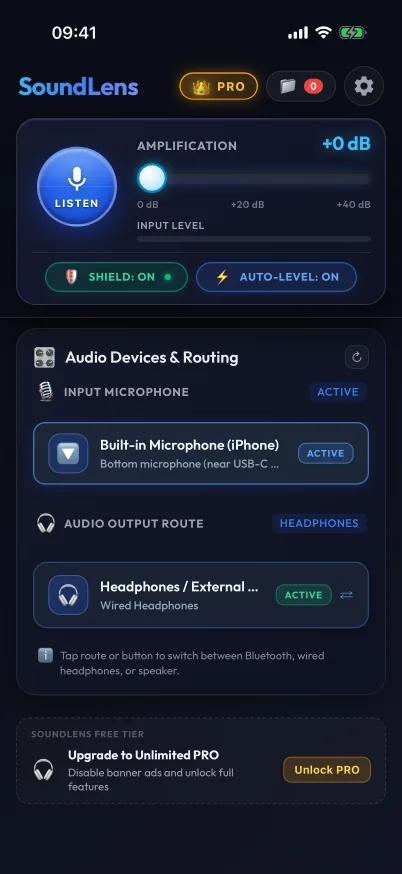
Audio Devices & Routes
Choose a microphone and view the output route.
Engineered for real-world listening
Controls for amplification, frequency balance and recording.
Live Amplification
Adjust microphone amplification from 0 to +40 dB. Start low and increase carefully.
Speech Clarifier (WDRC, PRO)
PRO boosts quiet voices with wide dynamic range compression (WDRC), without making loud sounds harsh.
Tune Your Sound
Six EQ bands, 250 Hz to 8 kHz. Five presets: Natural, Speech +, Highs +, Comfort and Night Nature, plus Custom. Manual adjustment requires PRO.
Real-Time Processing
Processes microphone audio in real time on your device, and keeps working with the screen locked.
Feedback Protection
When feedback is detected, the shield clamps gain to 0 dB. It does not replace safe volume settings.
Balance & Orientation
Adjust left/right balance, test the channels and swap them.
Auto-Leveler & Peak Protection
Softens sudden loud sounds while amplifying surrounding audio.
Noise Spectrum (RTA)
See the live spectrum and hints to lower a dominant frequency band or reduce volume if it is already cut.
Recording & Silent Recording
Save amplified audio. Silent recording keeps playback off and works without headphones. If headphones disconnect during recording, playback stops and recording continues silently.
Recordings Library
Free includes one saved recording plus a one-time bonus slot for watching a sponsor video. Delete an old recording to free space, or unlock an unlimited library with PRO.
Audio Devices & Routes
Headphones are required by default for live listening. Disconnecting them stops playback; an explicit bypass exists. Select the microphone and output route. On iOS, a Bluetooth headset microphone links input and output; USB routing may be locked by the system.
SoundLens PRO
Unlock manual controls and an unlimited recordings library.
Free
Free includes five presets, adverts and one saved recording plus a one-time bonus slot for a sponsor video.
SoundLens PRO
- Manual six-band EQ, 250 Hz to 8 kHz
- Speech Clarifier (WDRC)
- Unlimited recordings library
- No adverts
3-day free trial
A recurring plan (weekly or monthly, depending on region), an annual plan and a one-time lifetime licence.
Start listening in three steps
Connect wired or Bluetooth headphones to begin.
Connect Headphones
Headphones are required by default for live listening. Disconnecting stops playback; an explicit bypass exists. Silent recording works without headphones.
Start SoundLens
Allow microphone access and choose Natural, Speech +, Highs +, Comfort or Night Nature; Custom uses manual EQ in PRO.
Hear More Clearly
SoundLens processes surrounding audio in real time directly on your device.
Mobile App & Browser Preview
SoundLens 1.0 is coming to iOS and Android. You can try the browser preview now.
Apple iOS
Microphone amplification, presets and recording with audio route controls.
Android Smartphones
Microphone amplification, presets and recording with audio route controls.
Browser Preview
Try amplification and EQ in a separate browser preview without installation.
Local Audio Processing
Your recordings stay on your device. SoundLens sends no telemetry.
Microphone Processing
SoundLens processes microphone sound on your device.
Recording You Start
Audio is saved when you start recording, including in silent recording mode.
Local Library
Manage saved recordings on your device and choose when to share them.
Ready to hear what matters?
Try the browser preview. Mobile store listings are not published yet.